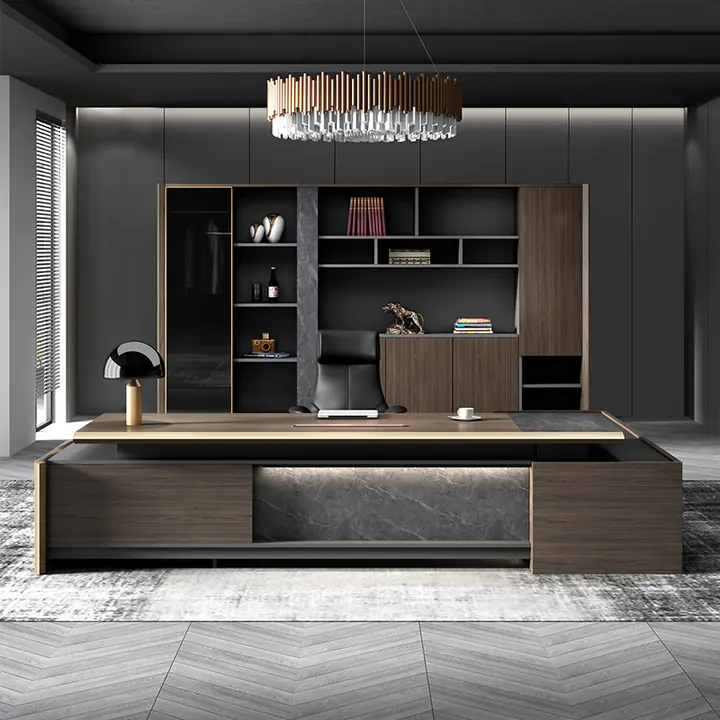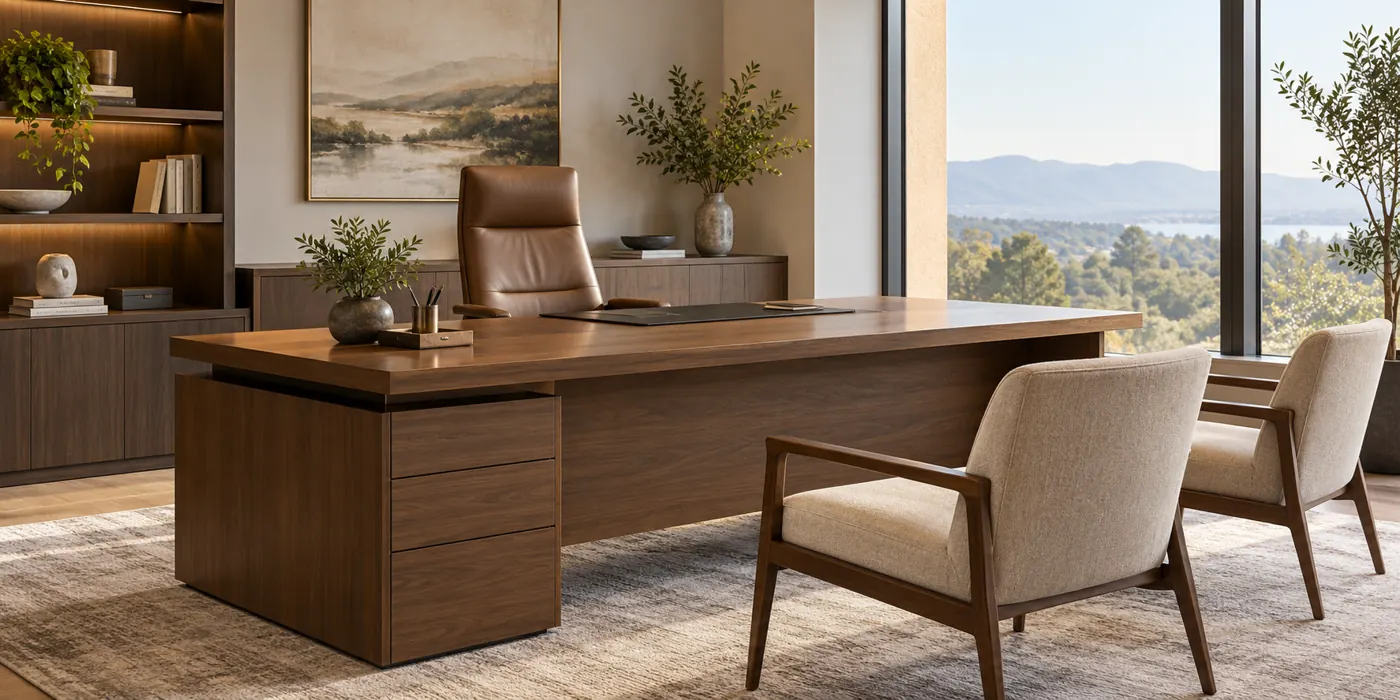
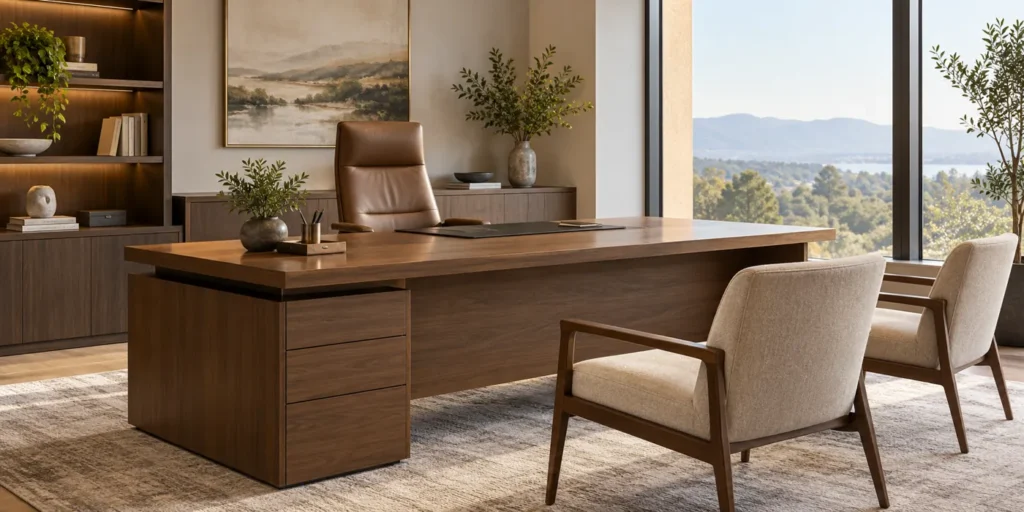
An executive desk is an office desk designed to combine a substantial work surface with a professional appearance and, in many models, integrated storage. It is often used in private offices where the user works at a computer, reviews documents, and meets visitors. Executive desks range from simple rectangular designs to larger L-shaped and U-shaped configurations.
There is no single size or construction that defines every executive desk. The right choice depends on the work performed, available floor space, storage needs, and the appearance required for the office.

What Makes a Desk an Executive Desk?
Executive desks are generally designed as the main workstation and visual focal point of an office. Compared with many basic task desks, they often provide more work surface, a more substantial appearance, and options for built-in storage. Some also include a return, a modesty panel, or coordinated cabinets.
These are common characteristics, not mandatory features. A compact executive desk can have a clean, open base, while a large task desk may offer plenty of workspace without being marketed as an executive desk. Evaluate the actual dimensions and configuration rather than relying on the product name alone.
An executive desk can be useful for managers, business owners, professionals, and anyone who needs a dedicated workstation that also accommodates documents or occasional visitor meetings. The user’s tasks matter more than their job title.
Common Features of an Executive Desk
Generous work surface
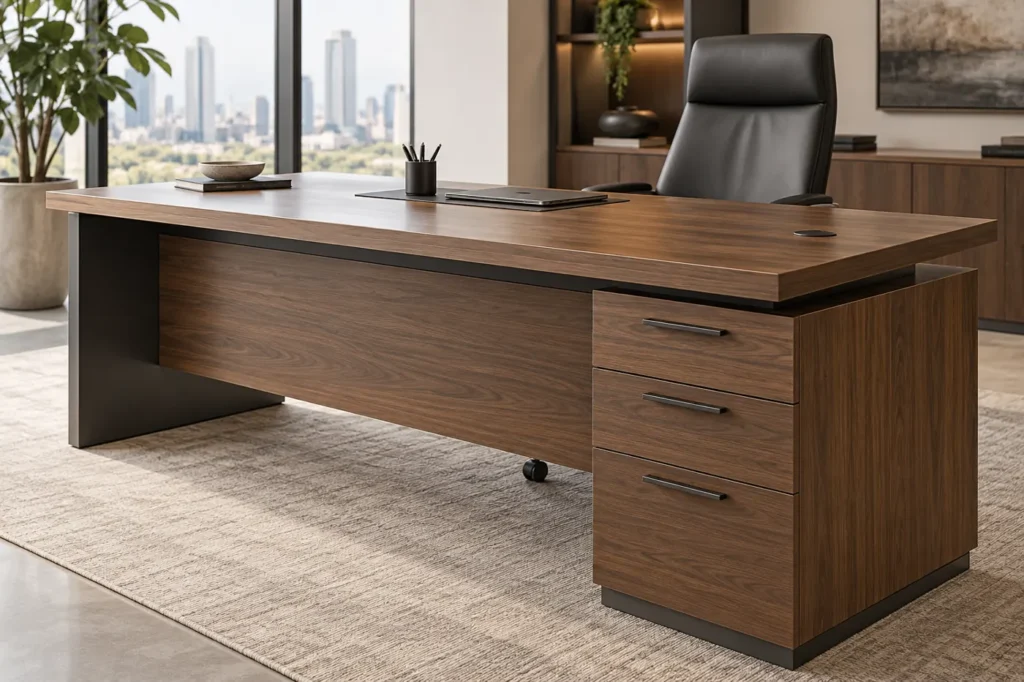
The desktop may need to hold a monitor, keyboard, laptop, phone, and documents at the same time. A wider or deeper surface can help separate computer work from paperwork, but the usable area depends on the desk’s shape and the position of storage units or accessories.
Check that the work surface supports the intended equipment layout. The monitor should be positioned comfortably in front of the user, with enough space for the keyboard and mouse. OSHA’s computer workstation guidance explains how desktop space and under-desk clearance affect workstation setup.
Drawers and storage
Many executive desks include one or two pedestal units with drawers for documents and supplies. A separate credenza or cabinet can add storage without taking space beneath the primary work surface.
When comparing options, check the internal drawer dimensions, the type of files they accommodate, and whether locks are included. A lockable drawer can help control access, but its suitability for sensitive documents depends on the security required.
Modesty panel and finished visitor side
A modesty panel is a panel beneath the desktop that partially conceals the user’s legs from the front. It may also contribute to the desk’s appearance. Not every design includes one.
If the desk will face the room or be visible to visitors, ask whether the back and sides are finished for that position. A desk intended to sit against a wall may look different from one designed to be viewed from every side.
Cable management
Cable openings, trays, or channels can help organize monitor, laptop, and other equipment cables. Their positions matter: an opening that is convenient for one monitor arrangement may be awkward for another.
Confirm whether cable components, power modules, or data connections are included or available separately. Any electrical components should be suitable for the destination market and installed according to applicable requirements.
Materials and finishes
Executive desks can use wood, wood veneer, laminate, metal, glass, or combinations of materials. The visible finish does not necessarily reveal the core material or frame construction, so request the complete material specification.
- Wood veneer gives a natural wood surface over a substrate; appearance and care requirements depend on the veneer and finish.
- Laminate is available in many colors and patterns; durability varies with the product and construction.
- Solid wood can offer a natural appearance, but its behavior and maintenance depend on the species, construction, and finish.
- Metal and glass may be used in frames, legs, or surfaces. Check surface care, edge details, and load limits for the specific design.
For any material, compare the finish, edge treatment, cleaning instructions, and repair options rather than assuming that a particular appearance guarantees a specific level of durability.

Types of Executive Desks
| Configuration | How it works | Best suited to | Main consideration |
|---|---|---|---|
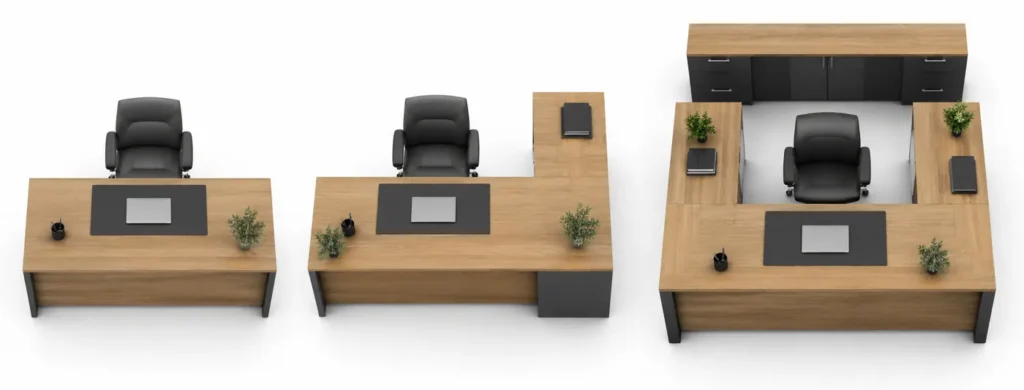
| Rectangular | One primary work surface, sometimes with pedestal storage | Offices needing a straightforward layout | Check that equipment and paperwork fit together |
| L-shaped | A main desk connects to a return on one side | Users who need separate areas for computer work and documents | Confirm the return direction and total footprint |
| U-shaped | A main desk, bridge, and rear surface form a three-sided workspace | Larger offices with extensive work and storage needs | Requires more floor space and careful access planning |
| Desk with credenza | A desk is paired with a separate storage or work unit | Offices needing extra storage with a coordinated appearance | Measure the space between pieces and the access to doors and drawers |
A return is the secondary surface attached to the main desk. For L-shaped configurations, confirm whether the return is on the left or right from the seated user’s position, and check the supplier’s terminology before ordering. Some systems allow the side to be changed; others do not.

Executive Desk vs. Standard Office Desk
An executive desk typically emphasizes a substantial work area and an office-facing appearance. A standard task desk often prioritizes a straightforward workstation footprint and may be easier to fit into a shared office. Both can support daily computer work when appropriately sized and adjusted.
| Consideration | Executive desk | Standard task desk |
|---|---|---|
| Typical use | Private offices, document work, and occasional visitor interaction | Individual workstations and shared office layouts |
| Configuration | Often available with storage, returns, or matching units | Often simpler, though configurations vary |
| Appearance | Frequently designed as a prominent furniture piece | Often selected for a consistent team workstation layout |
| Space requirement | Larger configurations can occupy more floor area | Compact models may fit smaller spaces more easily |
These are general tendencies, not fixed rules. Compare actual product dimensions, materials, storage, and ergonomics before deciding which desk meets the need.
How to Choose an Executive Desk
1. Match the desk to daily work
List the equipment, documents, and activities the desk must support. A user working mainly on a laptop may prefer a simple rectangular desk. Someone who reviews large documents alongside multiple screens may benefit from a return or a larger work surface.
If the office is also used for meetings, decide whether visitors will sit at the desk or whether a separate meeting table is more appropriate. Consider privacy and the view of screens or documents from visitor seating.
2. Measure the whole office, not just the desktop
Measure the available floor area and mark doors, windows, outlets, and fixed features. Include the full footprint of any return, credenza, or open drawers. Leave enough space for the chair to move and for people to reach storage and circulate through the room.
There is no universal executive desk size that fits every office. Compare the manufacturer’s width, depth, and height with the intended layout. Confirm which measurements include returns or storage, and check applicable accessibility, fire, and building requirements for the project.
3. Check seated comfort and legroom
A large desk is not automatically comfortable. Check the height of the work surface, the available knee and leg space, and the position of pedestals or supporting panels. The user should be able to position the chair and equipment comfortably without a drawer unit forcing an awkward posture.
If different people will share the desk, consider how the chair, monitor, and other workstation components can be adjusted. Where height adjustment is required, verify the desk’s actual adjustment range and compatibility with the planned equipment.
4. Decide how much storage is needed
Separate frequently used items from archived files. Drawers near the user can keep daily supplies accessible, while a separate cabinet may work better for larger volumes of documents. Check that drawers can open fully in the planned location and that the storage arrangement leaves sufficient legroom.
5. Compare construction and finish
Ask the supplier to identify the desktop core, surface finish, edge treatment, frame, and drawer hardware. Request finish samples when appearance is important, and review the cleaning instructions for the intended environment. For commercial projects, specify any required performance tests or certifications and ask for documentation applicable to the product offered.
6. Plan for technology
Confirm where monitors, a docking station, and power connections will sit before selecting cable openings. Check the size and location of grommets, whether cables can reach outlets without crossing walkways, and whether power components are included in the quotation.
7. Confirm delivery and assembly details
A large desk or assembled pedestal may need to pass through lifts, doorways, and corridors. Request packaged dimensions and weights, assembly requirements, and information on who is responsible for installation and removal of packaging. Confirm the final configuration, finish, and included accessories in writing before placing the order.
Frequently Asked Questions
Does an executive desk have to be large?
No. Executive desks are often more substantial than basic task desks, but there is no fixed size that every model must meet. Choose a surface and footprint that suit the user and the office.
Can an executive desk be used in a home office?
Yes. A compact rectangular model may suit a home office, while a larger desk with a return can work if there is enough room for movement and storage access. Measure the delivery route as well as the room.
Is an executive desk the same as an L-shaped desk?
No. An L-shaped desk describes a configuration; an executive desk describes a category of desk intended for a particular office setting and use. An executive desk may be L-shaped, rectangular, U-shaped, or paired with a separate credenza.
Does every executive desk include drawers?
No. Some have integrated pedestals, while others use separate cabinets or have an open base. Check what is included in the quoted configuration.
Which side should the return be on?
Choose the side that suits the room, the user’s working habits, outlet locations, and access to storage. Confirm the handing convention with the supplier and review the layout drawing before ordering.
Explore Executive Desk Options
A well-chosen executive desk brings together the workspace, storage, and appearance an office needs without compromising access or comfort. WOBIN Furniture displays executive desk options and can discuss dimensions, finishes, storage, and cable-management requirements for a project.
Share your office floor plan, preferred configuration, quantities, and equipment needs to discuss suitable options and confirm the final specifications.